PDF Editing
Edit, reorder, rotate, and delete pages in your PDFs
- •Delete unwanted pages
- •Reorder pages with drag & drop
- •Rotate pages (90°, 180°, 270°)
- •Full control over page layout
Free PDF editor Chrome extension that works offline
Edit PDF pages, merge multiple files, split documents, extract text with OCR, and convert to images. Everything runs in your browser - no cloud upload, no data collection. Your PDFs stay on your computer.
Edit pages, combine files, split documents, extract text, and convert to images - all without uploading anything to the cloud
Edit, reorder, rotate, and delete pages in your PDFs
Combine multiple PDFs into one seamlessly
Split one PDF into multiple files or extract pages
Extract text from PDF pages using advanced OCR
Save PDF pages as high-quality images
100% local-first, zero cloud dependencies
Most PDF tools upload your files to the cloud. Simple VaultPDF processes everything on your computer, so your documents stay private and secure.
All PDF operations happen on your device. Your files never leave your computer - complete privacy guaranteed.
Works completely offline - perfect for sensitive documents. No internet connection needed for any operation.
Transparent, auditable code you can trust. MIT License - free forever, no hidden costs or subscriptions.
Edit, merge, split, extract text, and convert PDFs - all in one place. No need for multiple tools.
Simple VaultPDF keeps your PDFs on your device. No cloud uploads, no data collection, no tracking. The code is open source, so you can verify everything yourself. When you need to edit, merge, or extract text from PDFs, it all happens right in your browser.
Take a look at VaultPDF's interface and features

Clean and intuitive interface for all PDF operations
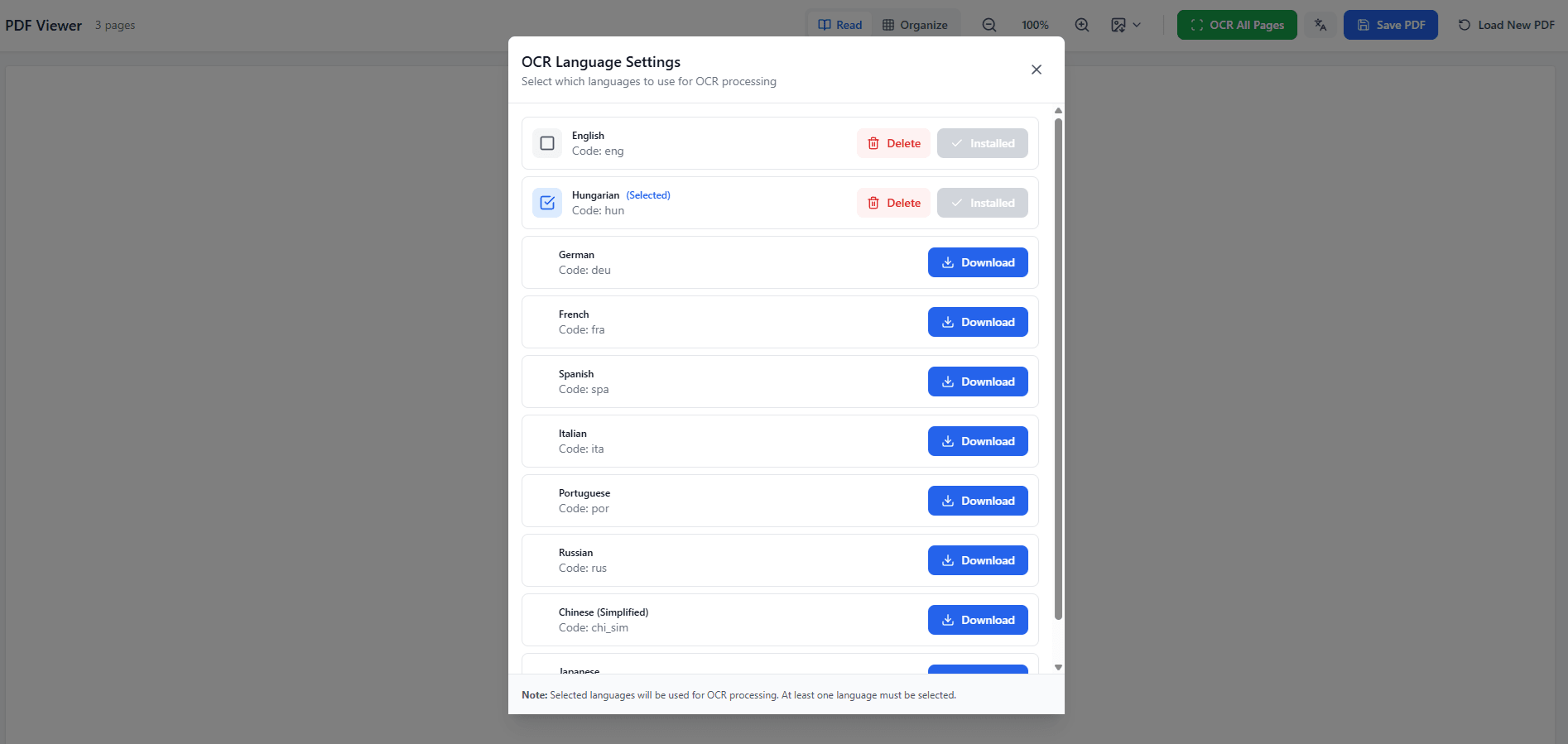
Extract text from PDFs using advanced OCR with multiple language support
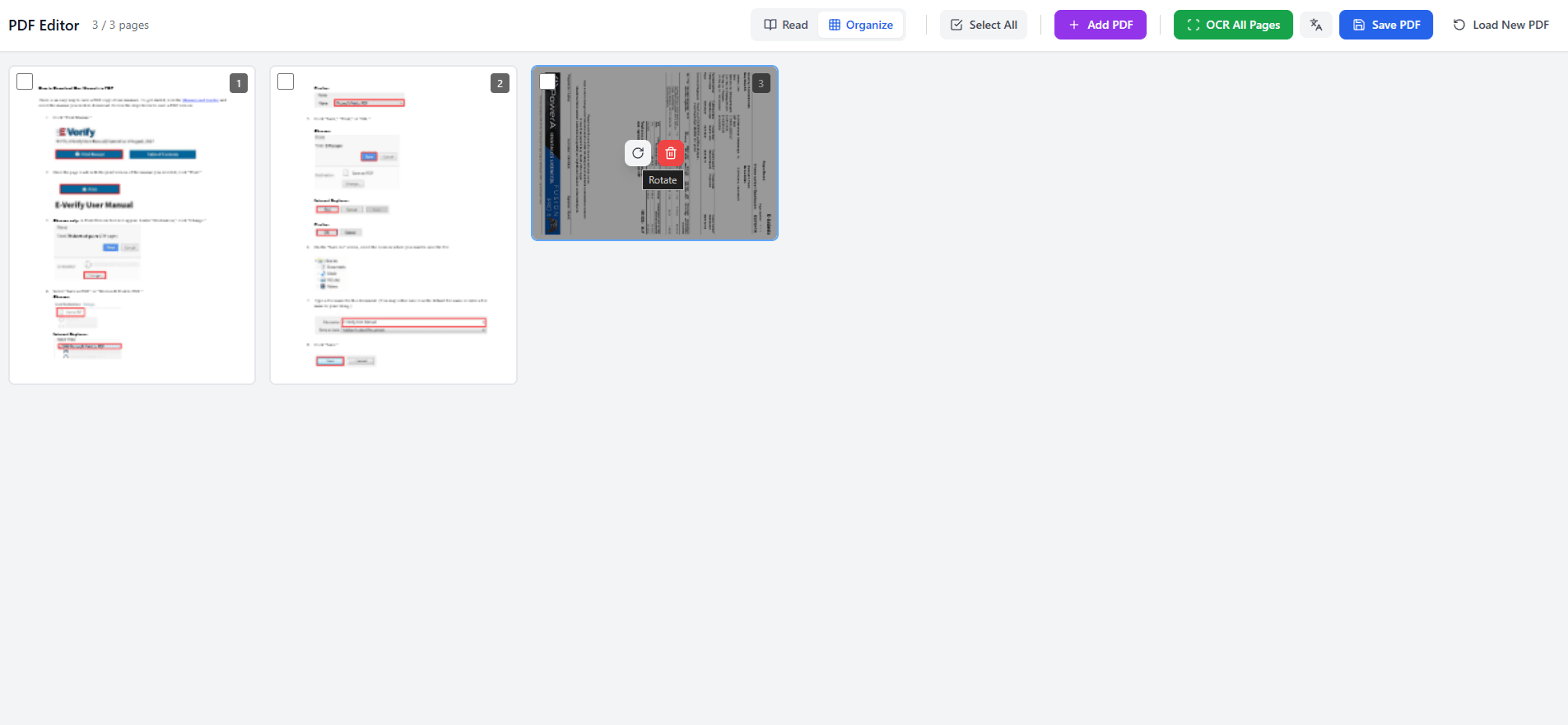
Rotate pages 90°, 180°, or 270° to fix orientation
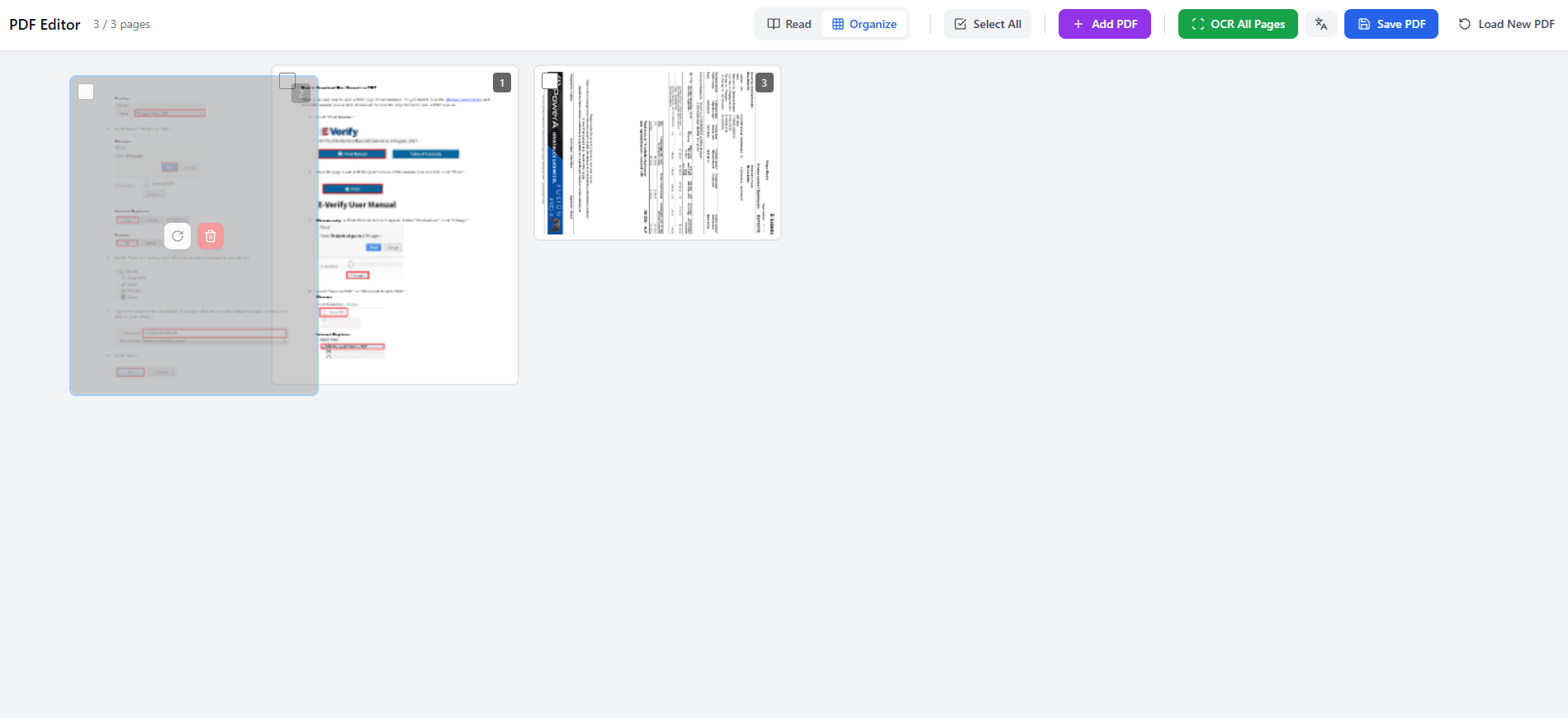
Transfer pages between PDFs and merge multiple documents
Install from Chrome Web Store in seconds. No technical knowledge needed - just click and start using it.
Open the Simple VaultPDF page on Chrome Web Store
The extension will be installed automatically
Open Simple VaultPDF and start using it immediately
No credit card required • No account needed • Works immediately
All features, no limits, no subscriptions. Forever free under MIT License.
Pro version will be available soon. Join the waitlist to be notified!
The more interest and feedback I receive, the faster Pro will launch.
The more people who sign up and provide feedback, the faster Pro will launch. Join the waitlist to help prioritize development!
Help keep it free and open source
Everything you need to know about VaultPDF
Found a bug? Need a feature? Have questions? Send me a message and I'll get back to you.